

- Standard MP4 output that plays on any device, phone included
- Built-in browser: log in once and every entitled title is detected
- Works on Windows 11/10 and macOS, 32-bit and 64-bit
How to Download Discoveryplus Videos for Offline Viewing on Any Device
Summary: This guide compares three ways to keep Discoveryplus videos offline: free web downloaders, screen recording, and capturing the original stream with GetFLV Discoveryplus Downloader on Windows or Mac. Each method is scored on success rate, output quality, speed and long-term reliability, and you will find the exact steps for the recommended one below.
Saving Discoveryplus videos is easy to describe and oddly hard to do. The gap between the two is the streaming protocol. Once you understand that, the ranking below stops being surprising.
Quick Navigation
Whether you want the steps, the numbers or the legal background, start here:
- Every working method, with steps and screenshots → read the methods.
- One table that ranks the three methods on every metric → read the comparison.
- The FAQ — quality, legality, output formats and mobile playback → read the questions.
⚠ Lawful access assumed throughout.
Introduction: Why Downloading Discoveryplus Videos Is Hard
Consider what you actually own after years of subscriptions. For most viewers the answer is nothing — which explains the interest in keeping a personal copy of Discoveryplus videos.
Discoveryplus 101: Understanding the Platform First
Discovery+ serves as a premier hub for non-fiction fans, offering an expansive library of real-life entertainment, documentaries, and original series from networks like HGTV and Food Network. To safeguard its premium content, Discoveryplus.com employs sophisticated delivery methods including encrypted HLS streaming and Widevine DRM to prevent unauthorized access. These robust security measures mean that standard browser extensions, online URL sniffers, and simple right-click downloading methods are unable to capture the actual video data. Furthermore, screen recording often results in a degraded viewing experience and is highly inefficient for large libraries. A specialized desktop downloader is required to interface correctly with these protected streams, allowing users to archive Discoveryplus content to their local drives on Windows or Mac in full quality for reliable offline viewing.
Why titles disappear: The licensing calendar also explains why different regions get different release dates, why some episodes appear late, and why a title available to a friend abroad may be invisible to you at home.
The Hard Part: Turning Discoveryplus Playback into Local Files
Resolution switching complicates it further. The player renegotiates quality mid-playback, so any tool that captured one static URL is working from information that is already stale.
If you only remember one line from this page, make it this one: capture the stream, do not copy the page.
Looking for a way to enjoy your favorite nature documentaries and reality shows without an internet connection? This guide explains exactly how to download discoveryplus.com videos despite the platform's restrictive playback features. While discoveryplus uses encrypted delivery to prevent direct downloads, we provide the tools needed to archive your favorite episodes for offline viewing on Windows or Mac.
Official Download Function Lacking
Rotations make this worse. A title can leave the catalogue with a few weeks of notice, and after that no method helps if you never had a copy.
3 Methods to Download Discoveryplus Videos
You will notice the methods differ in one fundamental way: whether they see the stream or only the page.
| Method | How & what is it? | Rating |
|---|---|---|
| GetFLV Discoveryplus Downloader (Windows and Mac) | Save the original stream on Windows or Mac first, then watch it anywhere — including on your phone. | ★★★★★ |
| Chrome and Firefox downloader extensions | An add-on lives inside the browser and looks for media on the page you are viewing. | ★★☆☆☆ |
| Manual network capture in DevTools | A manual method: watch the requests, copy the playlist URL and stitch the pieces together yourself. | ★★☆☆☆ |
What we measured on
- Network: broadband connection, 100 Mbps or faster
- Browser: current Chrome and Safari, default settings, no extensions
- Repeat count: each method run three times to rule out flukes
- Measurement: file size, resolution and wall-clock time recorded per run
Method 1: GetFLV Discoveryplus Downloader (Windows and Mac) ★★★★★
Save the original stream on Windows or Mac first, then watch it anywhere — including on your phone.
- Up to 10x faster downloading, with multi-threaded transfers that finish long before playback ends.
- Keeps the best available quality — HD, 1080p or 4K, exactly as delivered by discoveryplus.
- Private by design — everything runs on your machine; nothing is uploaded anywhere.
- Library management — rename, sort and convert finished files without leaving the app.
- Clean installer — no bundled adware, signed and verified.
- Video Capture Plugin — record what is on your own screen, with audio, for titles discoveryplus will never hand over as a file.
- Batch Downloader Plugin — one queue for many titles, but only across the 1000+ sites it currently supports.
Version 32.2609.15 — updated 18 Sep 2026 so discoveryplus playback changes do not break it.
- 100% Virus-Free & No Adware
- No Registration or Credit Card Required
- Refund Guarantee Within 30 Days
- Free Trial Available
1. First step: Free download discoveryplus Downloader
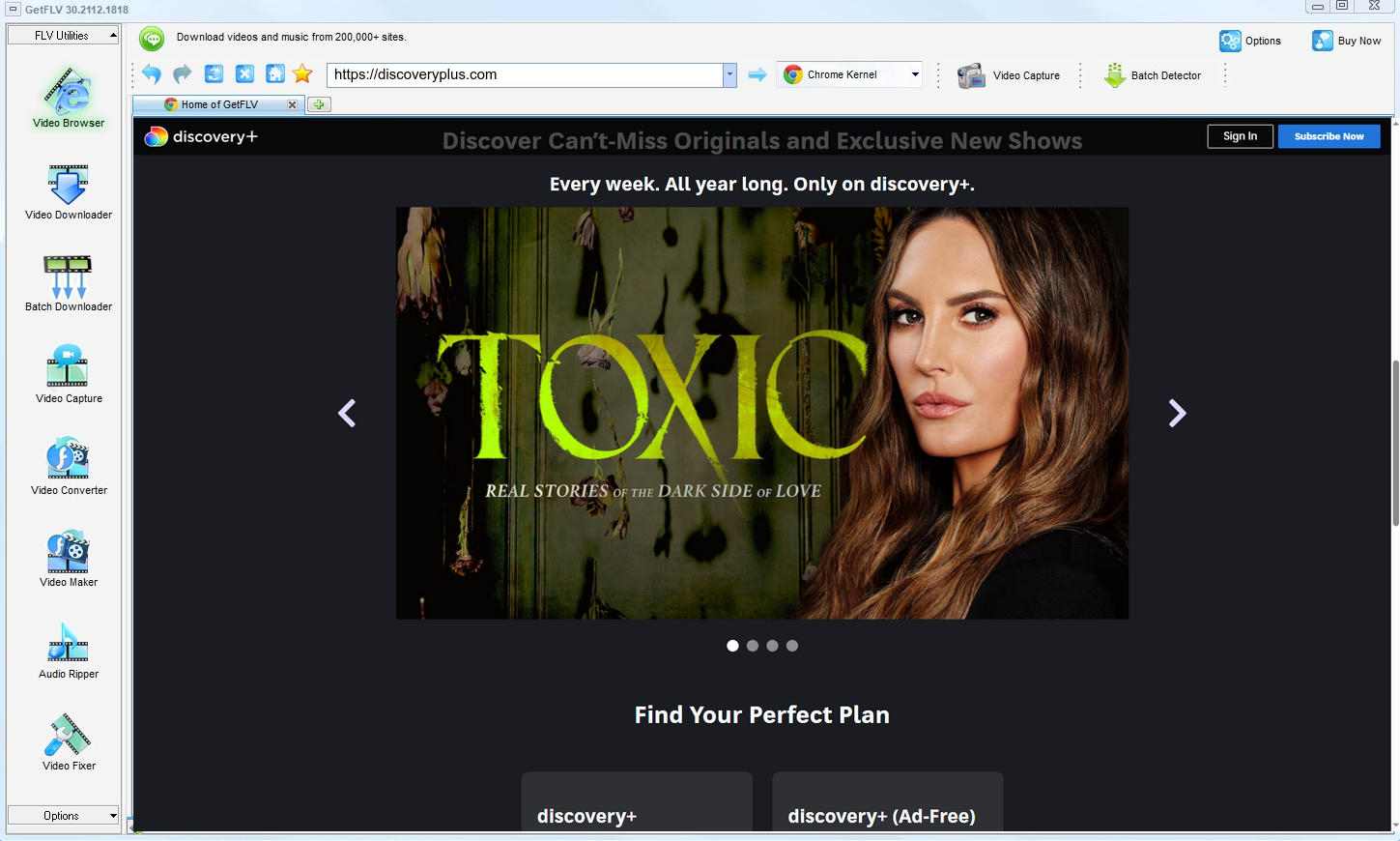
2. Open GetFLV, head over to the discoveryplus website, play your favorite media, and copy the link

3. Save your discoveryplus videos

The capability is not permission. Keep copies private, temporary and few.
Method 2: Chrome and Firefox downloader extensions ★★☆☆☆
An add-on lives inside the browser and looks for media on the page you are viewing.
Steps
- Install a media downloader add-on and grant its permissions.
- Sign in to discoveryplus.com and start the title.
- Look for a download badge or a popup entry.
- With segmented, token-protected playback the badge never appears.
Method 3: Manual network capture in DevTools ★★☆☆☆
A manual method: watch the requests, copy the playlist URL and stitch the pieces together yourself.
Steps
- Press F12 before the discoveryplus player loads.
- Filter the network panel by media type and start the videos.
- Identify the manifest and any key requests.
- Manual reassembly only works when the content is unencrypted.
Overall Comparison of the Ways to Download Discoveryplus Videos
| GetFLV Discoveryplus Downloader (Windows and Mac) | Chrome and Firefox downloader extensions | Manual network capture in DevTools | |
|---|---|---|---|
| Success rate | Roughly 9/10 | Roughly 4/10 | Roughly 4/10 |
| Resolution | Full source resolution | Medium quality | Usually 720p at best |
| Speed (2 hour title) | Under 20 minutes | Often fails | Fails before finishing |
| Audio and subtitles | All detected tracks | Inconsistent | Sometimes missing |
| Effort per title | Low | Seconds, usually wasted | Seconds, usually wasted |
| Cost | Free to test | Free, paid for by advertising | Free but ad-heavy |
| Login-only / paid titles | Works exactly as in your browser | Usually fails | No |
| Ads and pop-ups | No ads | Aggressive advertising | Heavy |
How to read the table: Update cadence is the quiet decider for anyone archiving a series rather than a single title.
Worth Remembering: Safety and Copyright Guidelines for Discoveryplus
Worth remembering:
- Passing a private copy to people who have not paid is the fastest way to lose your account.
- Prefer local parsing. Anything you can already play should never have to leave your own machine.
- Insist on original-size output — anything that rescales on the way out has thrown away the quality you paid for.
- Delete your local copies when you no longer need them or when your access ends.
- Age restrictions on discoveryplus apply offline exactly as they do online.
Is It Legal to Download Discoveryplus Videos?
The distinction that matters is between a private backup and distribution. Stay on the first side:
- Follow the terms of discoveryplus.com and the law in your country.
- Do not upload saved files to public or shared storage.
- Keep the copies on devices only you control.
- When in doubt, ask the rights holder instead of assuming.
Keep those conditions in mind while you compare the options — they decide what you should do, not what you technically can.
What the discoveryplus.com Community Says About Offline Videos in 2026
Survey the community answers and the ranking is stable across 2026. Browser-based services rank last for reliability, recording ranks last for convenience, and maintained desktop downloaders come first for anything the user intends to keep.
What Users Report About Online Downloaders: Community veterans advise against building any routine around web downloaders. These services were never designed for archival reliability; they were designed for quick single use, and they break the instant a platform revises its embedding technology.
Why Screen Capture Disappoints: Members advising newcomers usually rank recording last for dependability. It always starts, it often fails, and unlike a downloader it cannot tell you in advance which titles will succeed.
Why Desktop Software Wins: One thing veterans stress is quality fidelity. Recording re-encodes whatever your machine displays; a desktop downloader writes the stream as delivered, which is why recommendations favour local software for discoveryplus archives.
The Tool Behind This Guide: Rather than another workaround, GetFLV Discoveryplus Downloader is infrastructure: support for 1000+ websites, multi-threaded throughput, and lossless 1080p or 4K output maintained by a team watching every discoveryplus update.
FAQs About Discoveryplus Videos
QDo I need a discoveryplus account or subscription?
AWhere a paid plan unlocks higher resolutions, that plan also determines the quality you can download — the tool never invents a tier you have not bought.
QIs it really faster than just recording the screen?
ASpeed also affects reliability: the longer a capture runs, the more chances something interrupts it. Shorter jobs fail less.
QThe picture is black but the sound plays — why?
ASome users report success with hardware capture, but that adds cost and still costs real time. Capturing the stream avoids the problem entirely.
QIs the output MP4 or something else?
AAudio is preserved as delivered, so multi-language tracks and 5.1 stay intact when the source provides them.
QCan I keep the subtitle tracks as well?
AIf you need subtitles, check the track list before confirming — it is shown on the same screen where you choose resolution.
QDo you update the tool when discoveryplus breaks it?
AOur own re-tests are listed with dates below, so you can tell at a glance how current the instructions are.
Update Log
Every entry below corresponds to a re-test on discoveryplus.com, not a cosmetic edit.
- September 2026 — Refreshed the FAQ with the questions readers ask most this quarter.
- August 2026 — Confirmed downloading still works after the discoveryplus layout change.
- June 2026 — Added notes on subtitle handling for videos saved from discoveryplus.
- March 2026 — Expanded the notes on why recordings turn black on protected titles.
Ratings & Reviews from discoveryplus Users
These are typical reports from users saving Discoveryplus videos — the good and the occasional rough edge.
Everything runs on my own machine. I am not pasting my links into some unknown server, which matters to me.
No account needed to try it, and nothing is uploaded. That sold me before the download even finished.
I have it on a Windows PC and a MacBook. Same steps, same results on both.
Conclusion
To summarise the comparison above:
Readers often ask which single tool we would keep if only one could stay installed. After everything above, the answer is GetFLV Discoveryplus Downloader. It covers more than 1000 websites including discoveryplus.com, uses multiple threads per file to keep speeds high, and never degrades the source 1080p or 4K stream in the process. A dedicated development team keeps it aligned with the constant changes at discoveryplus, which is what protects your workflow long term. The trial version is free and needs no payment details to begin.
-
1 GetFLV Discoveryplus Downloader Our pick
This is the one we would actually use ourselves — 88% success, offline playback afterwards, no ads and no waiting rooms.
-
2 Chrome and Firefox downloader extensions
Convenient until it is not. No installation, but no consistency either, and several attempts stalled on a "processing" screen.
-
3 Manual network capture in DevTools
Free and instant to test, which earns it a place on this list — but we would not build a workflow around it.
Everything described above is available in the trial — verify it on your own machine before deciding anything.
Respect the rights holder and the platform, and the whole workflow stays uncontroversial.
About the Author & How We Tested

Mandatory disclaimer: Save responsibly: lawful access in, private copy out, deletion when finished.